Hugo comes in three versions: Standard, Extended, and Extended/Deploy. The Standard edition covers core functionalities, while Extended adds advanced options, with Extended/Deploy** offering further deployment features.
Setting Up Your Directories
- Open File Explorer and create a folder, e.g.,
C:\Hugo, and inside it, abinfolder.
Installing Hugo
Download the latest Hugo executable from Hugo releases.
Extract the contents into
..\Hugo\bin.Open Command Prompt as Administrator and add Hugo to the PATH:
setx PATH "%PATH%;C:\Hugo\bin"Alternatively, add
C:\Hugo\binvia Environment Variables.Verify the installation by typing
hugo helpin the command prompt.
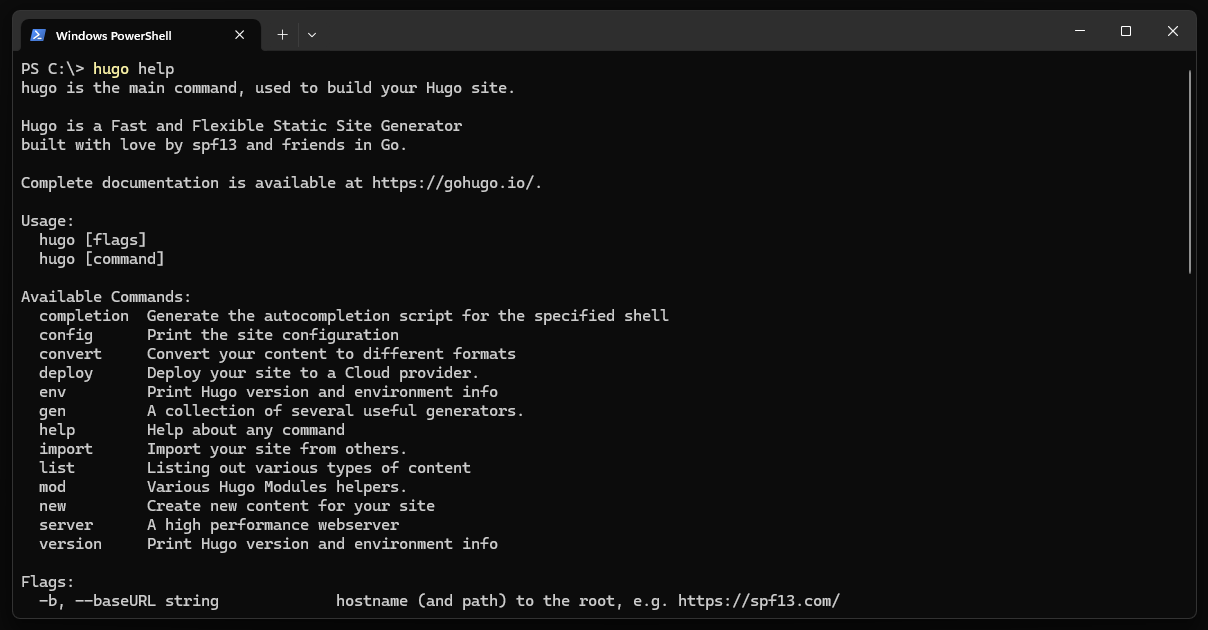
Hugo in Command Prompt
You can check the offical documentation for more installation details here.



What are your thoughts on this post?
I'd love to hear from you! Feel free to use the share buttons below if you enjoyed this post.